Electronic signatures · SaaS · by NexuCentri
Sealed
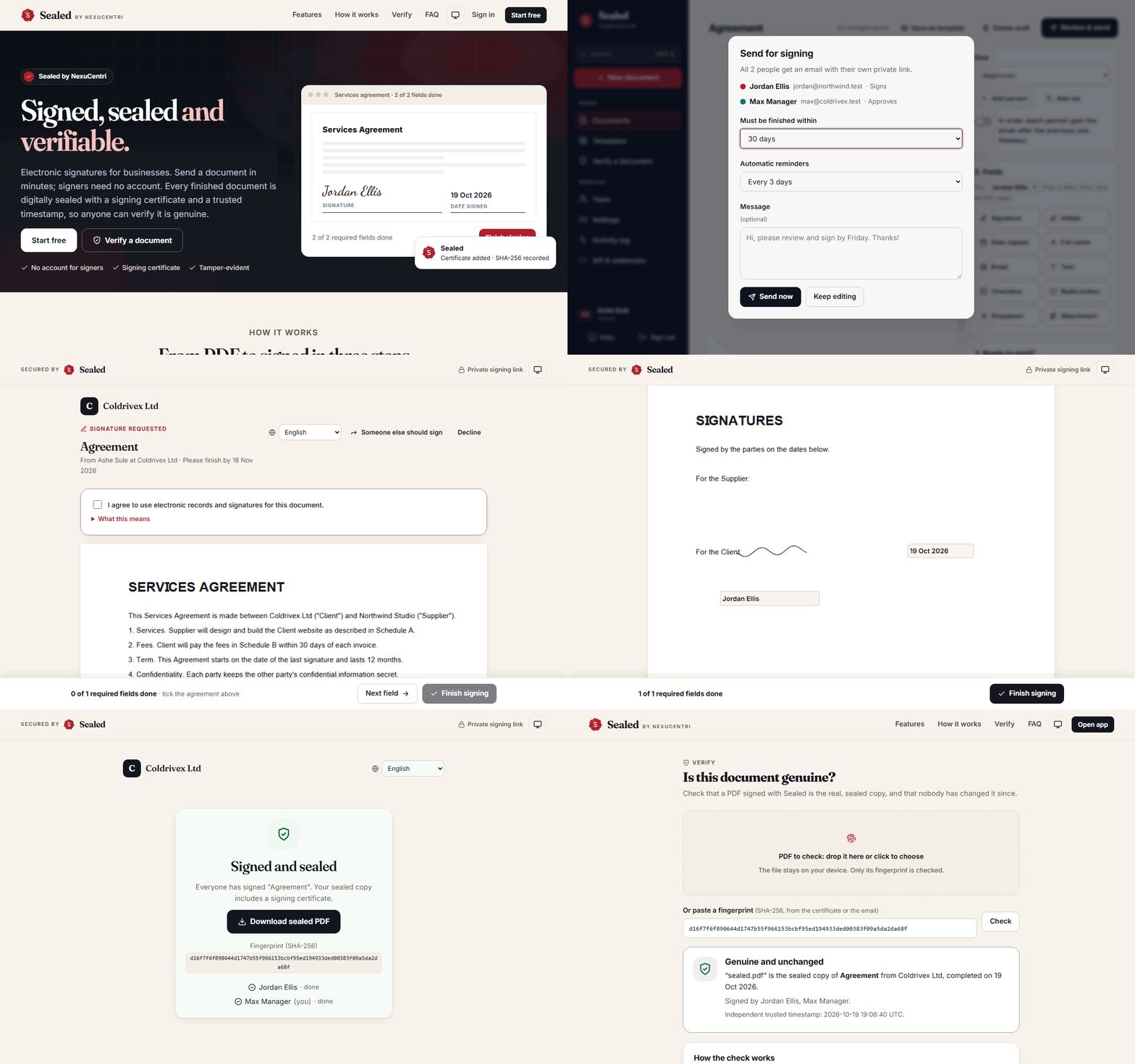
Signed, sealed and verifiable.
Electronic signatures for businesses, in the same space as DocuSign. Every finished document is digitally sealed, timestamped by an independent authority, and comes with a certificate anyone can verify without uploading the file.
- 11 languages
- PAdES digital signature
- 62 automated tests
- WCAG AA accessible
The problem
A signature is only as good as your ability to prove it later: who signed, when, and that nothing changed since.
The idea
Make the proof part of the document itself, so it stands on its own, in any PDF reader, years from now.
The result
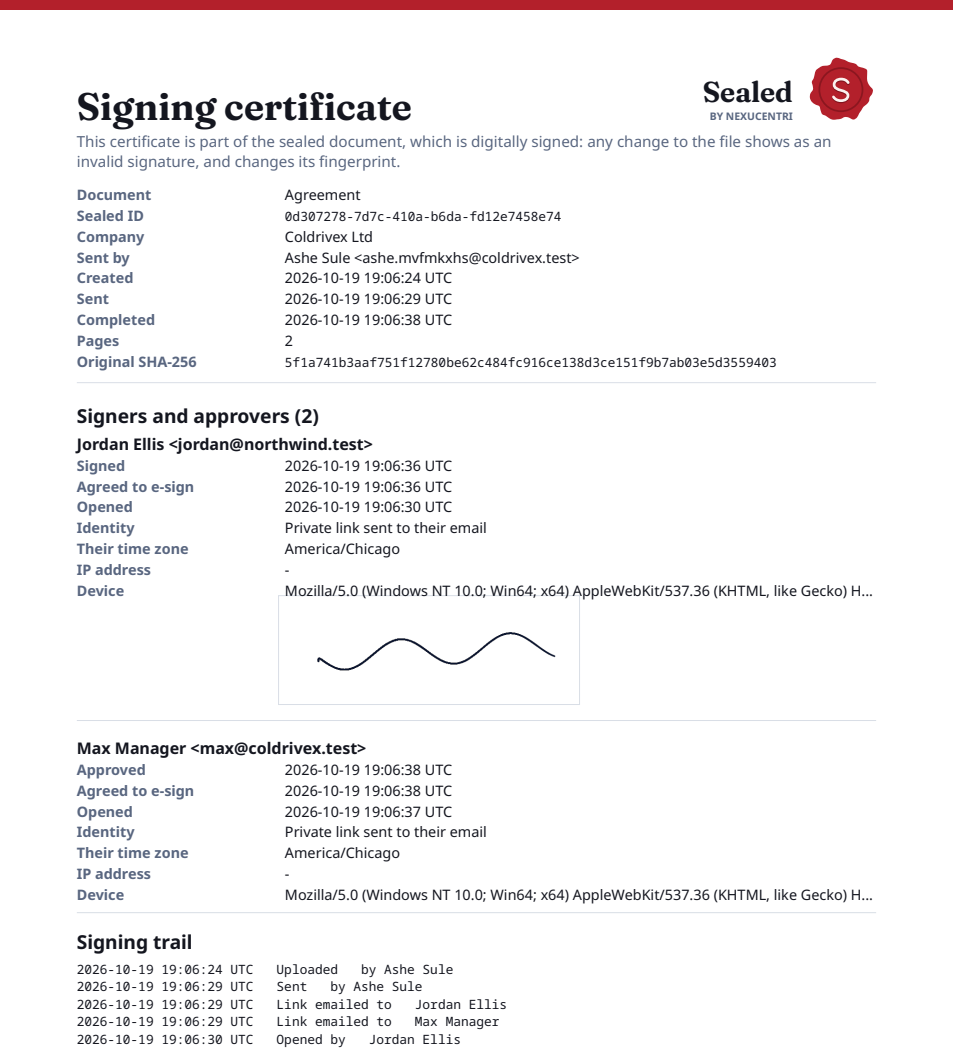
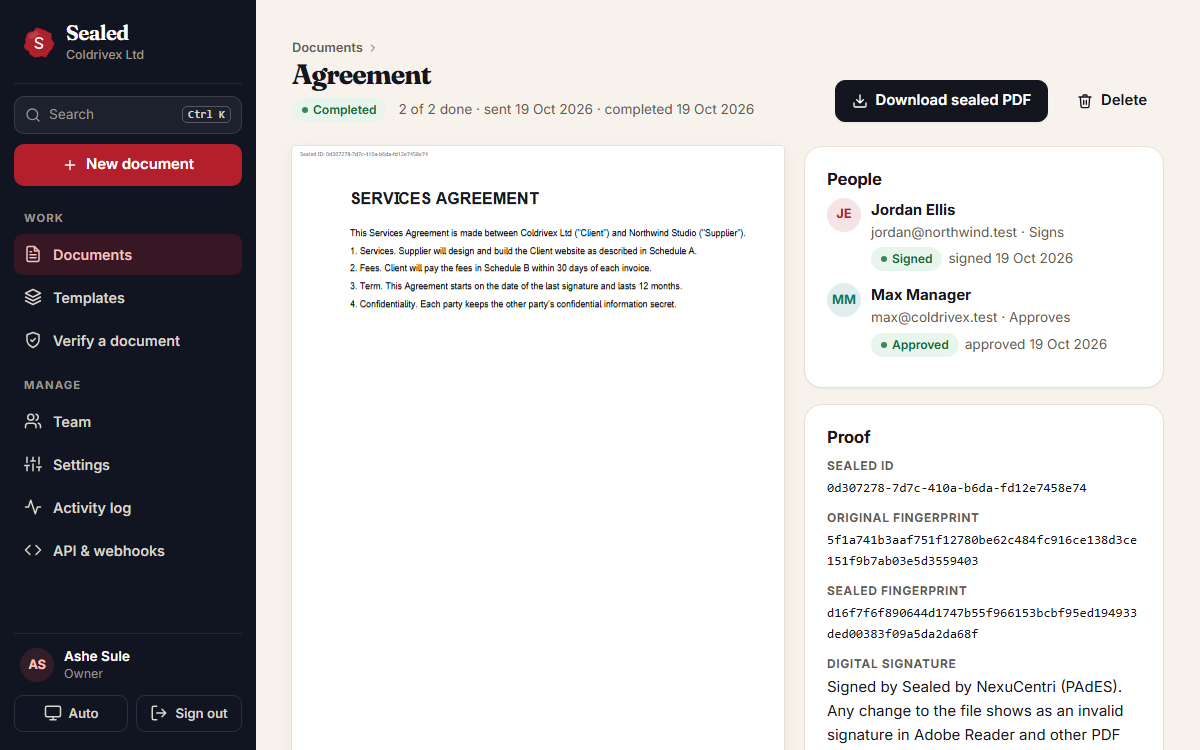
One sealed PDF: every signature, a signing certificate, a digital signature and a trusted timestamp. Any change shows.
What makes it different
Sealed, not just signed
When the last person finishes, Sealed produces the final PDF once and signs it. The signing certificate lists every signer, their identity check, time zone, device and a tamper-evident trail where each step is chained to the one before.
- PDF digital signature (PAdES) with an RFC 3161 trusted timestamp
- Bitcoin timestamp proof (OpenTimestamps) that nobody can backdate
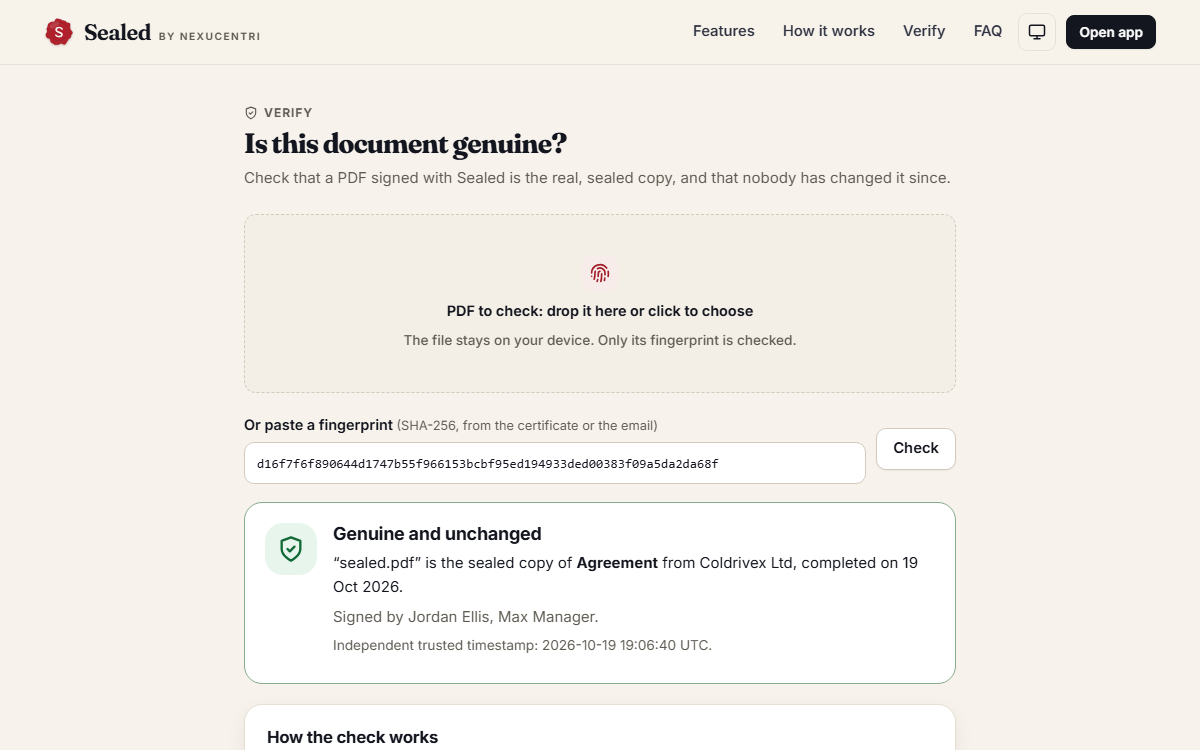
- Verify page: the file is fingerprinted in the browser and never uploaded
- Validated with an independent PDF signature checker: intact, whole-file coverage
Features
Built for senders and signers
For the people signing
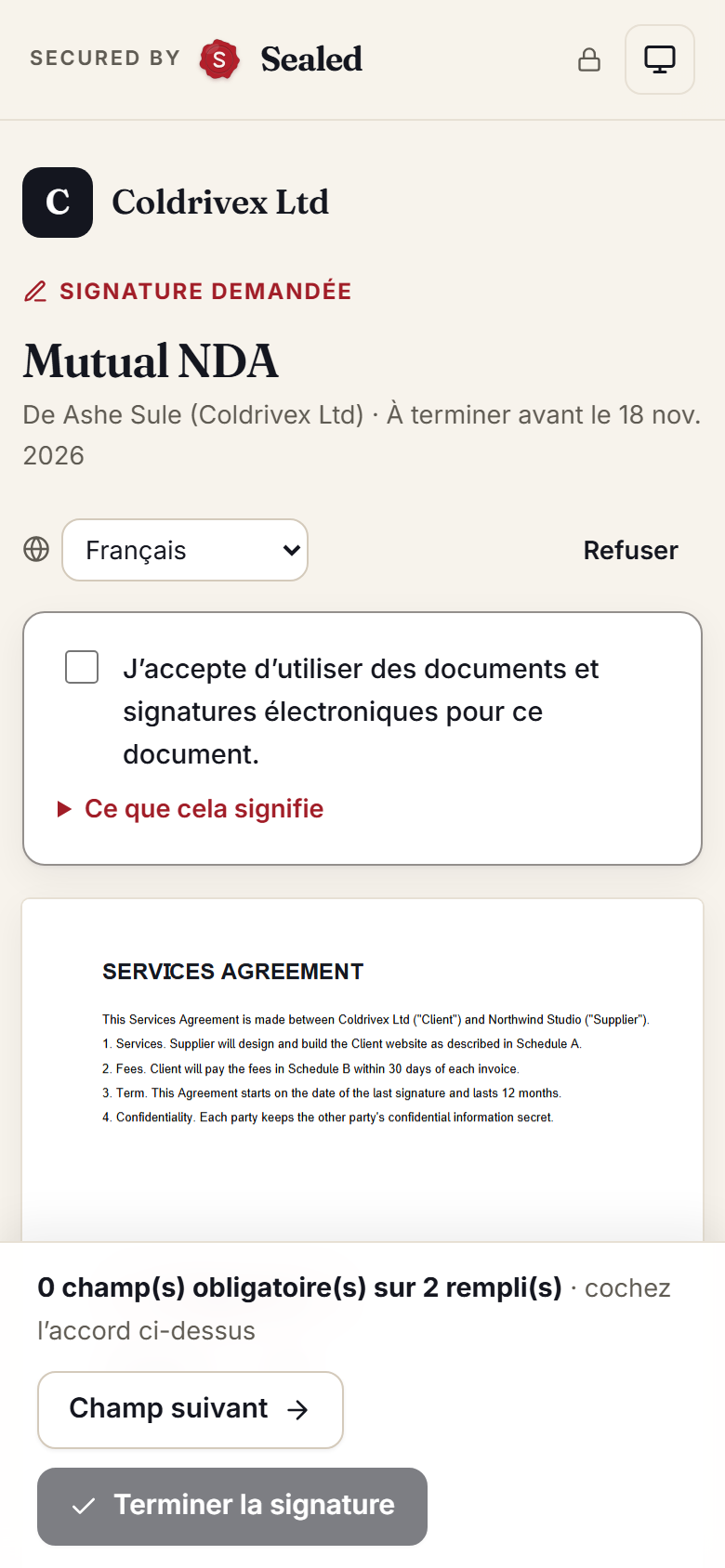
- No account: a private link, a clear consent step, sign on any phone
- 11 languages, including Arabic right to left; dates in their own time zone
- Type or draw a signature; dropdowns, choices, ticks and file uploads
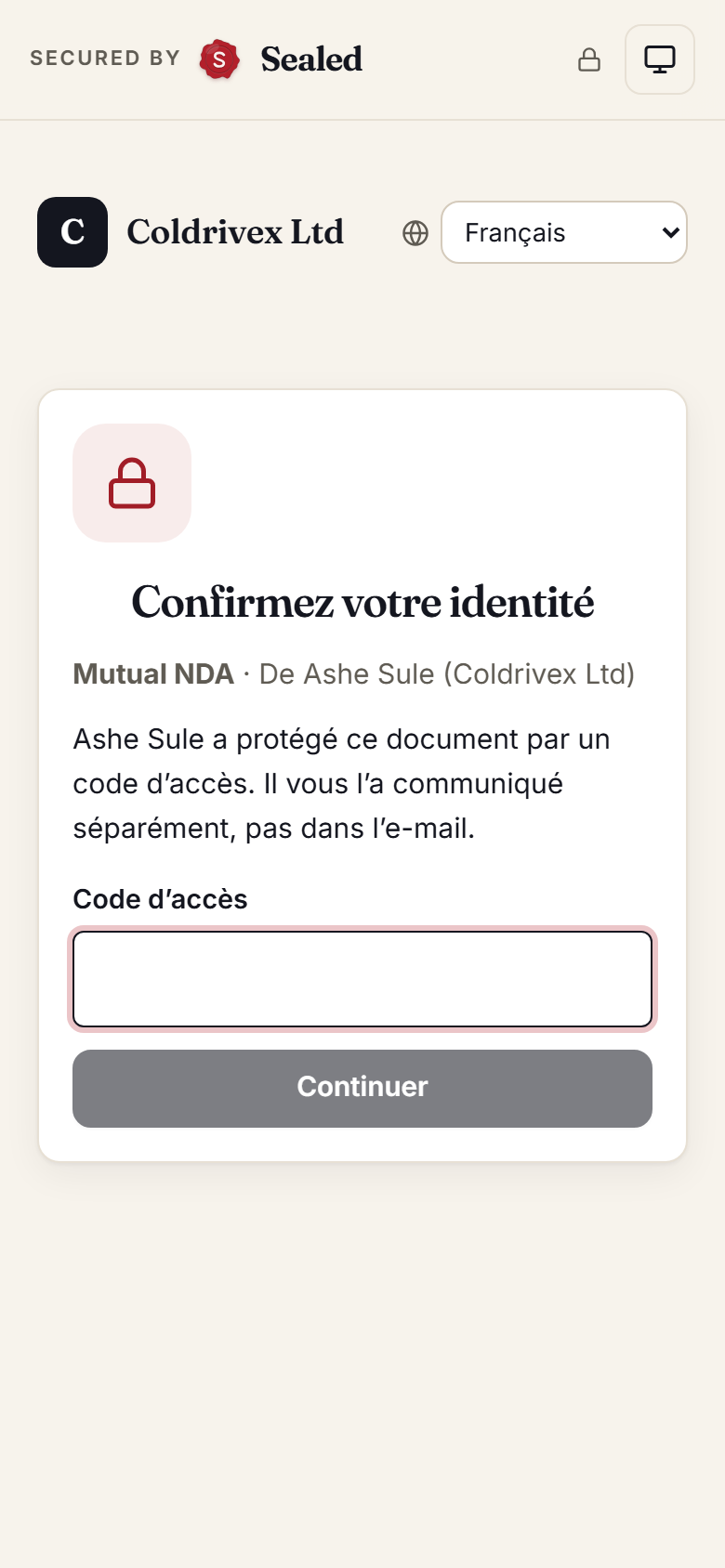
- Identity checks: an access code or a code sent to their phone
- Decline with a reason, or pass it to the right colleague
For the business sending
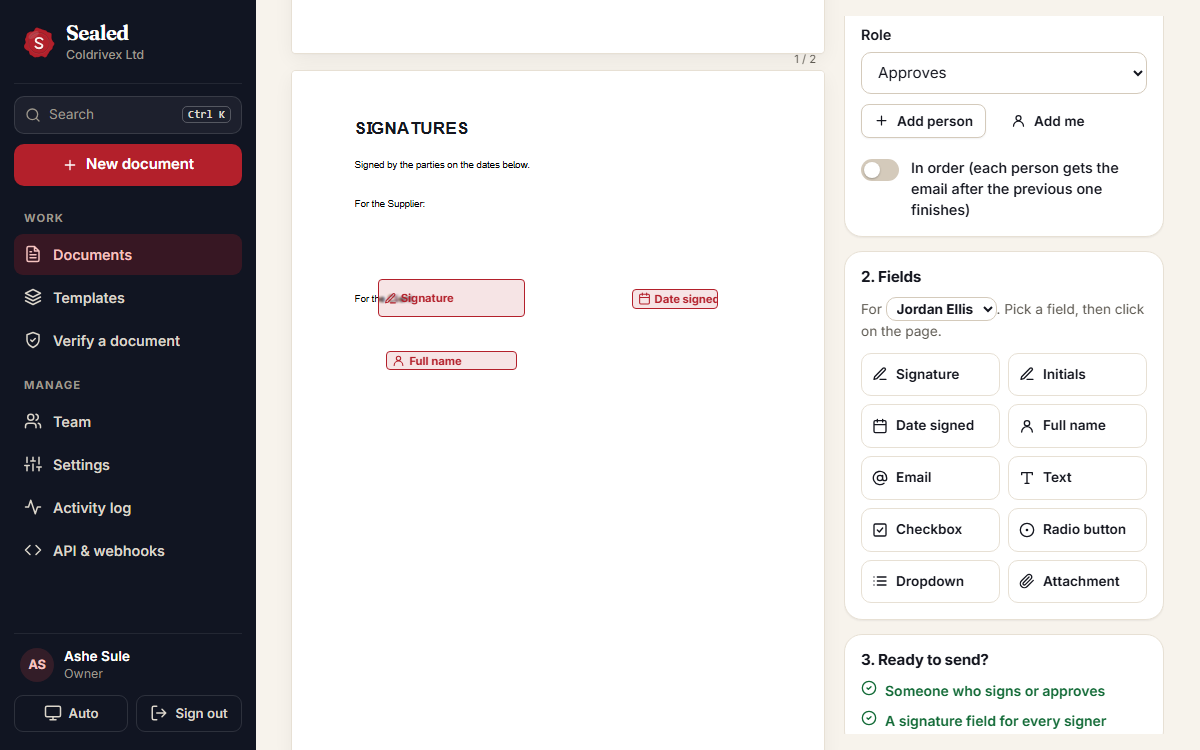
- Upload a PDF, Word file or photo; drag fields into place
- Signers, approvers and copies, all at once or in order; sign in person
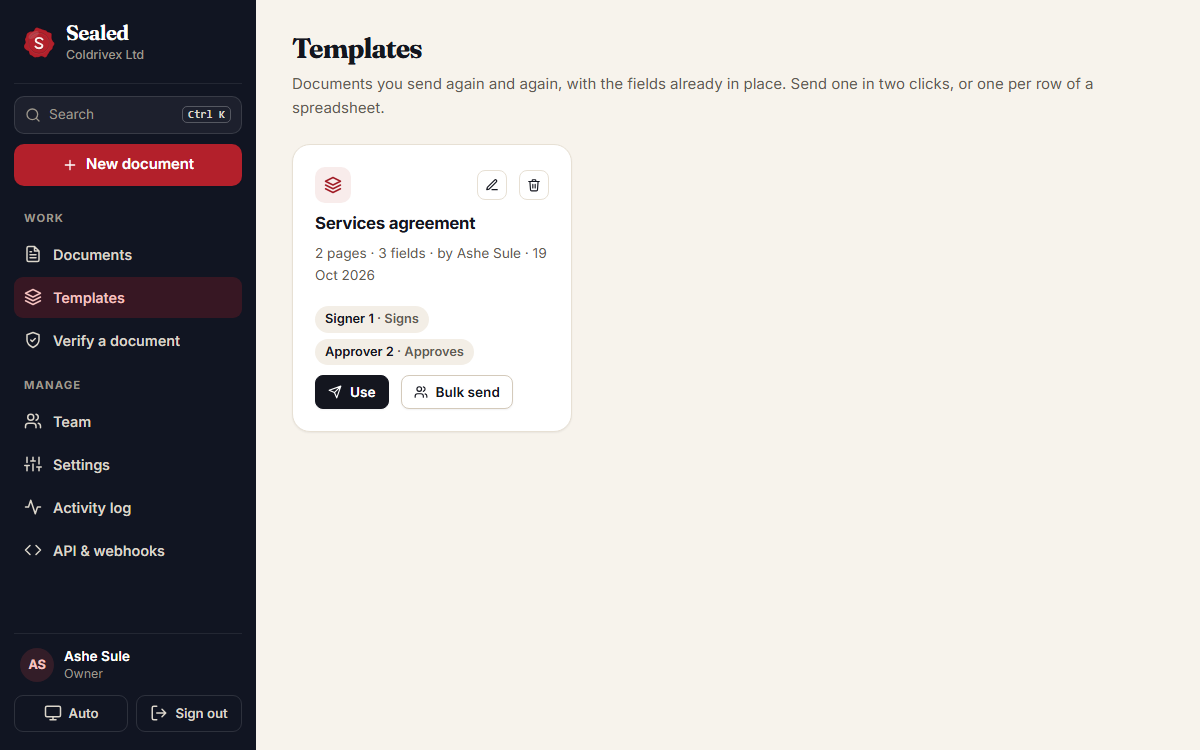
- Templates and bulk send from a spreadsheet, with automatic reminders
- Your logo and colour on signing pages, emails and certificates
- API and signed webhooks to connect other systems
Engineering
Built right
Tests
62
Unit, API and browser tests on desktop and phone, light and dark, including two people signing at the same moment
Accessibility
0
axe-core violations, including right-to-left and branded signing pages
Security
Strict
Nonce CSP, hashed one-person links, rate limits, SSRF-safe signed webhooks
Worldwide
Any script
Names in Igbo, Polish, Arabic, Chinese and more print perfectly on the sealed PDF
Interested?
See Sealed with your own documents
Sealed is in private preview. Send me a message on LinkedIn for a live demo.